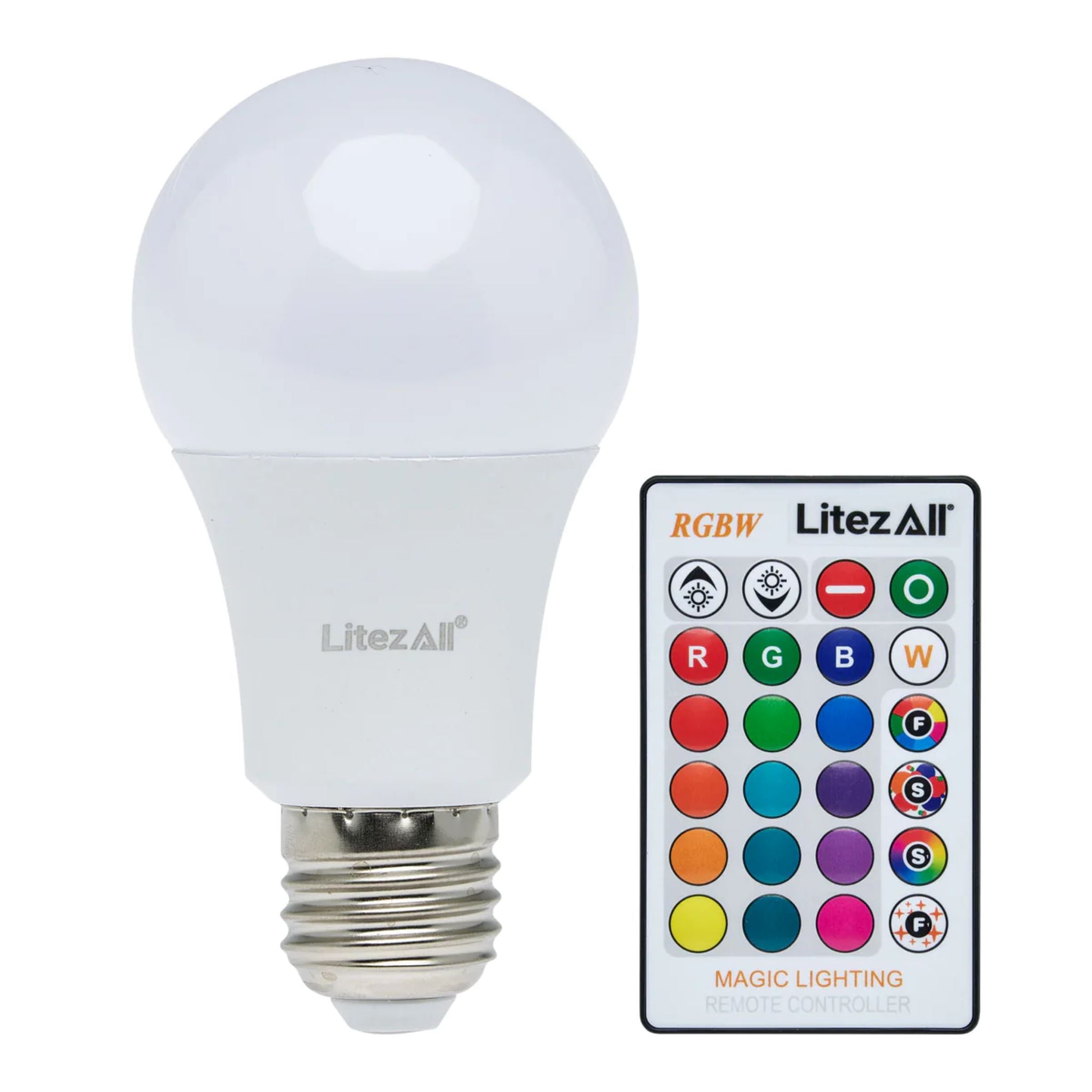
LitezAll Color Changing Lightbulb with Remote

LitezAll Color Changing Lightbulb with Remote

The LitezAll® The Evolution of Light® LED Color Changing Light Bulb with Remote brings customizable lighting to any room with simple, convenient control. It’s designed for everyday use in standard household fixtures, offering both practical white light and vibrant decorative color options. This makes it a great choice for bedrooms, living areas, parties, and accent lighting.

The bulb offers 15 static colors plus white, all controlled from the included remote. Four selectable color-changing modes provide smooth transitions or dynamic effects, letting you adjust the atmosphere to match any mood or setting. The bulb delivers full 360-degree light and features dimming capability when using the remote.

Designed to work in any standard A/C electrical socket, the bulb installs as easily as a traditional light bulb. Its integrated LEDs provide bright, efficient light without the need for additional wiring or setup.

A/C powered to provide continuous, dependable light wherever a standard socket is available.

WARNING
INGESTION HAZARD: This product contains a button cell or coin battery.
DEATH or serious injury can occur if ingested.
A swallowed button cell or coin battery can cause Internal Chemical Burns in as little as 2 hours.
KEEP new and used batteries OUT OF REACH OF CHILDREN.
Seek immediate medical attention if a battery is suspected to be swallowed or inserted inside any part of the body.

SKU: 25027S
$19.99

Pairs well with

Frequently Asked Questions

Placing an order is simple. Browse our products, add your items to the cart, and proceed to checkout. Follow the on-screen instructions to enter your details and payment information. Once confirmed, you’ll receive an order confirmation by email.

Click the Login button at the top of the page, then enter your registered email address and password. If you’re a new customer, you can create an account from the same page.

You can update your personal information by logging into your account. Go to My Account and select Edit Profile to update your address, contact details, or password. Don’t forget to save your changes.

To check your order status, log into your account and go to My Orders. You’ll see real-time updates and tracking information (if applicable). You’ll also receive email notifications as your order progresses.